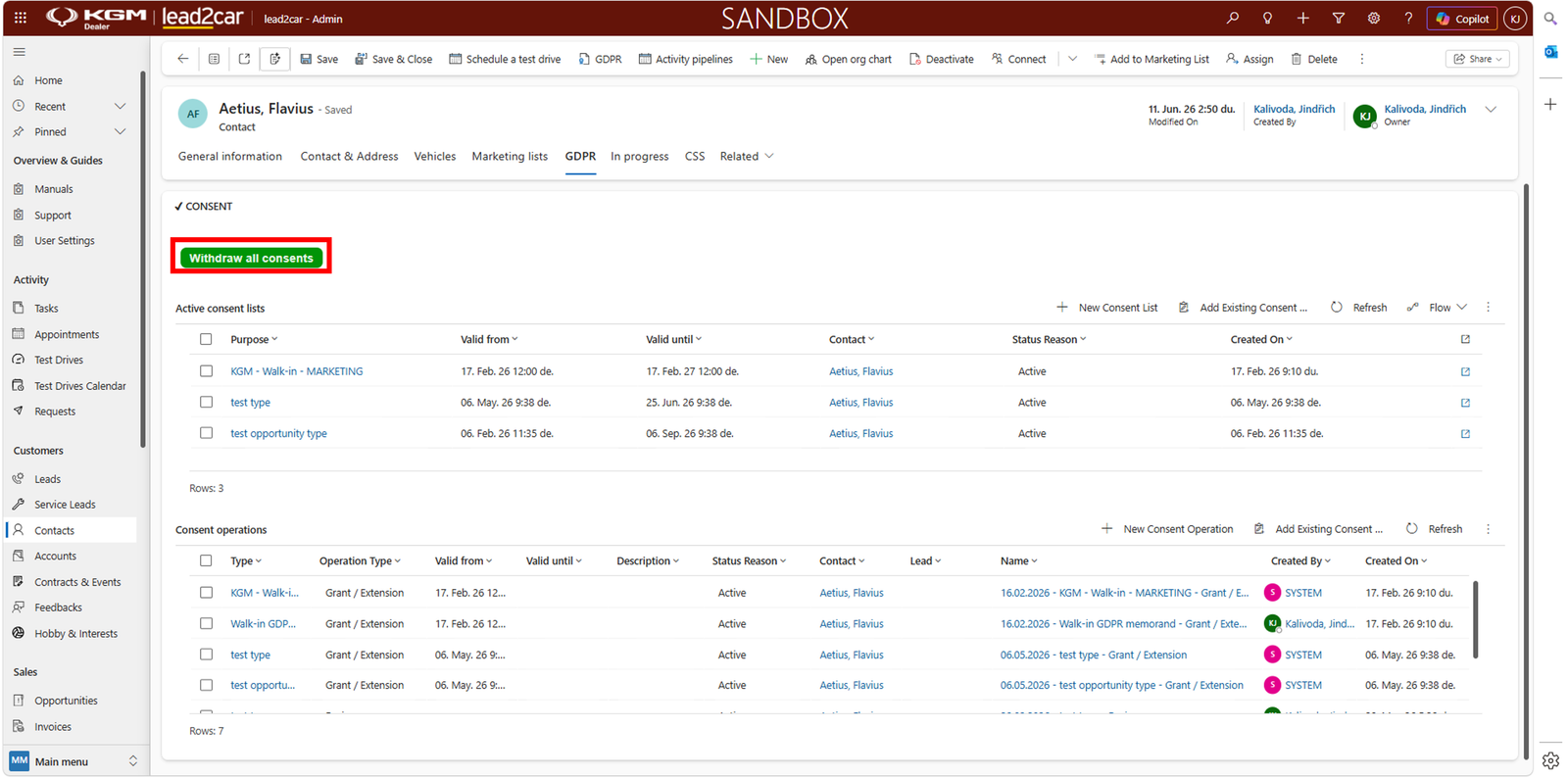
Opening the GDPR tab
GDPR consents are managed on the contact level.
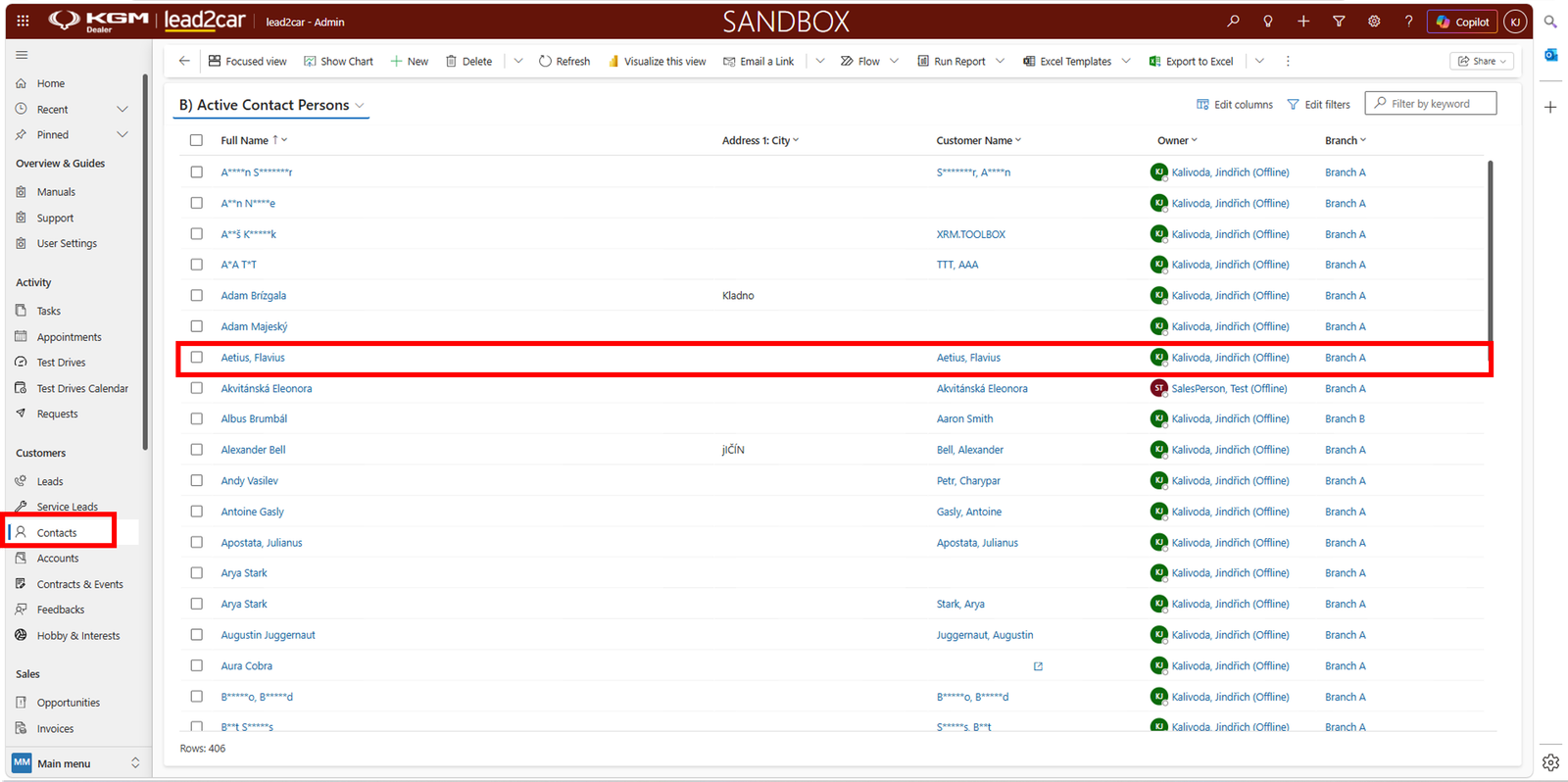
To manage consents, open the Contacts section and select the desired contact.
Open the selected contact and navigate to the GDPR tab.
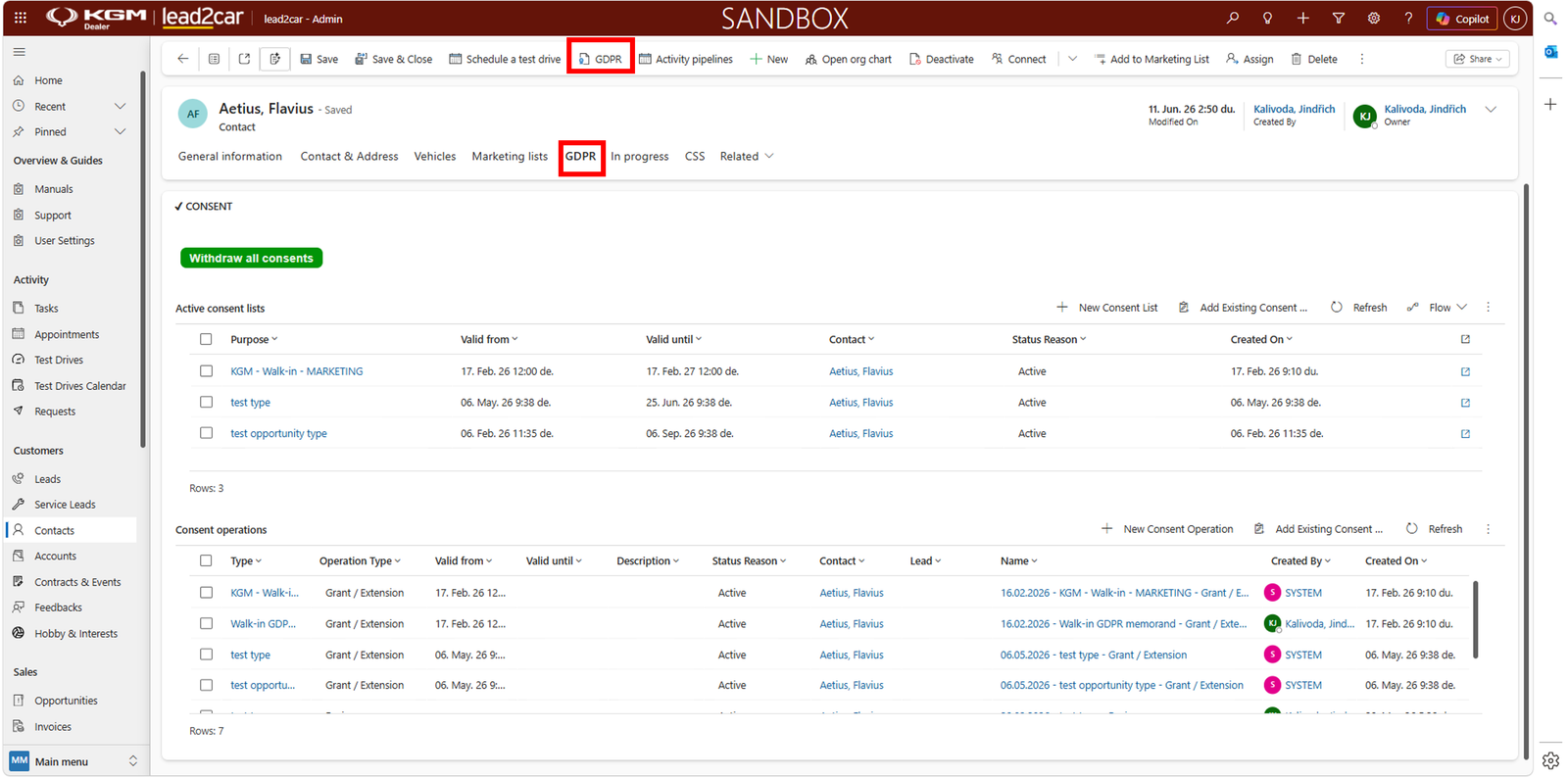
In this section, you can manage all GDPR-related activities for the selected contact:
- View active consents
- View all consents
- Sign new consent
- Upload documents
- Anonymize customer
Active consents
The Active consents tab displays all currently valid customer consents.
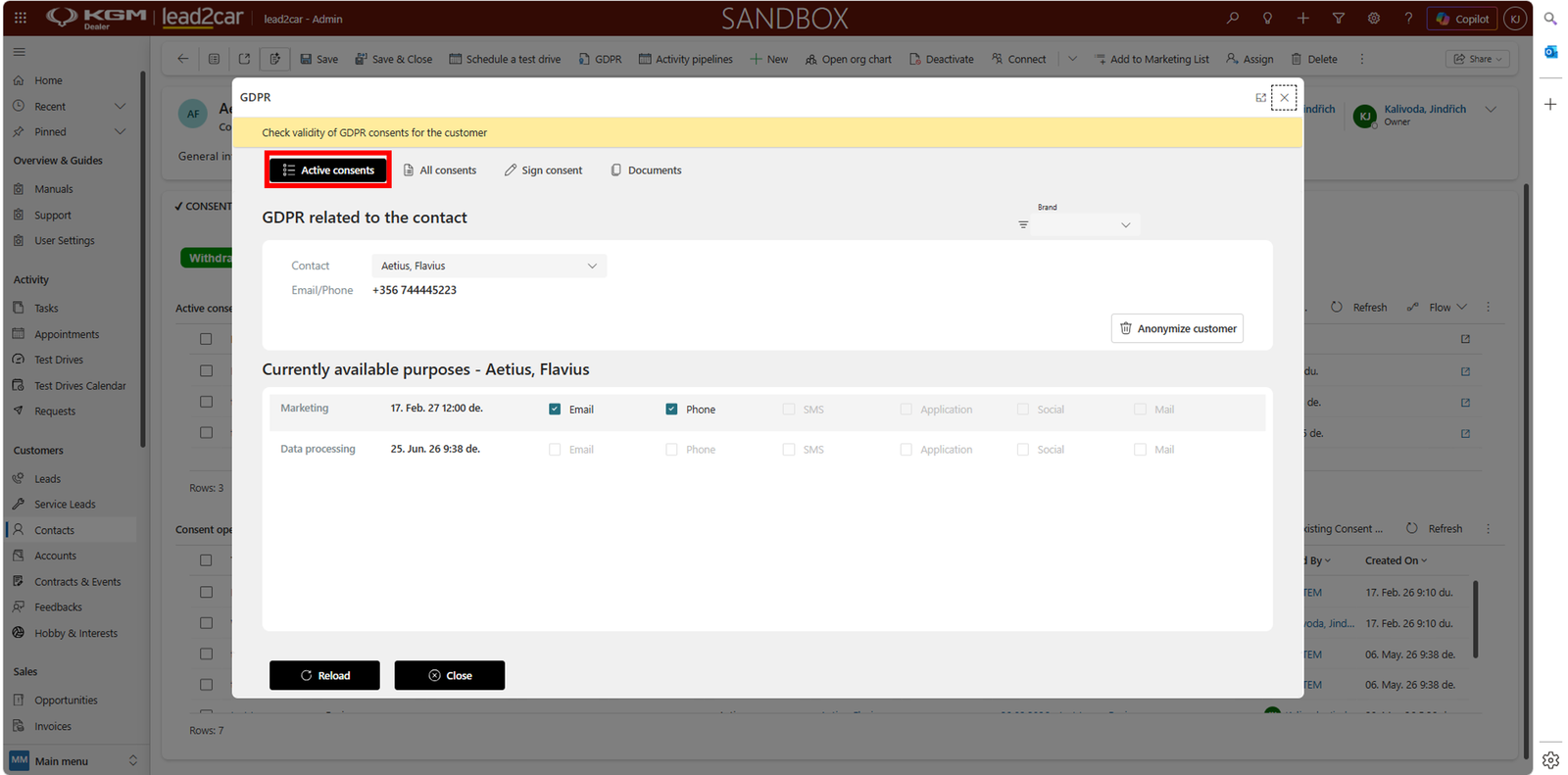
Each consent includes:
- Purpose – e.g. Marketing, Data processing
- Validity period – how long the consent is valid
- Channels – Email, Phone, SMS, etc.
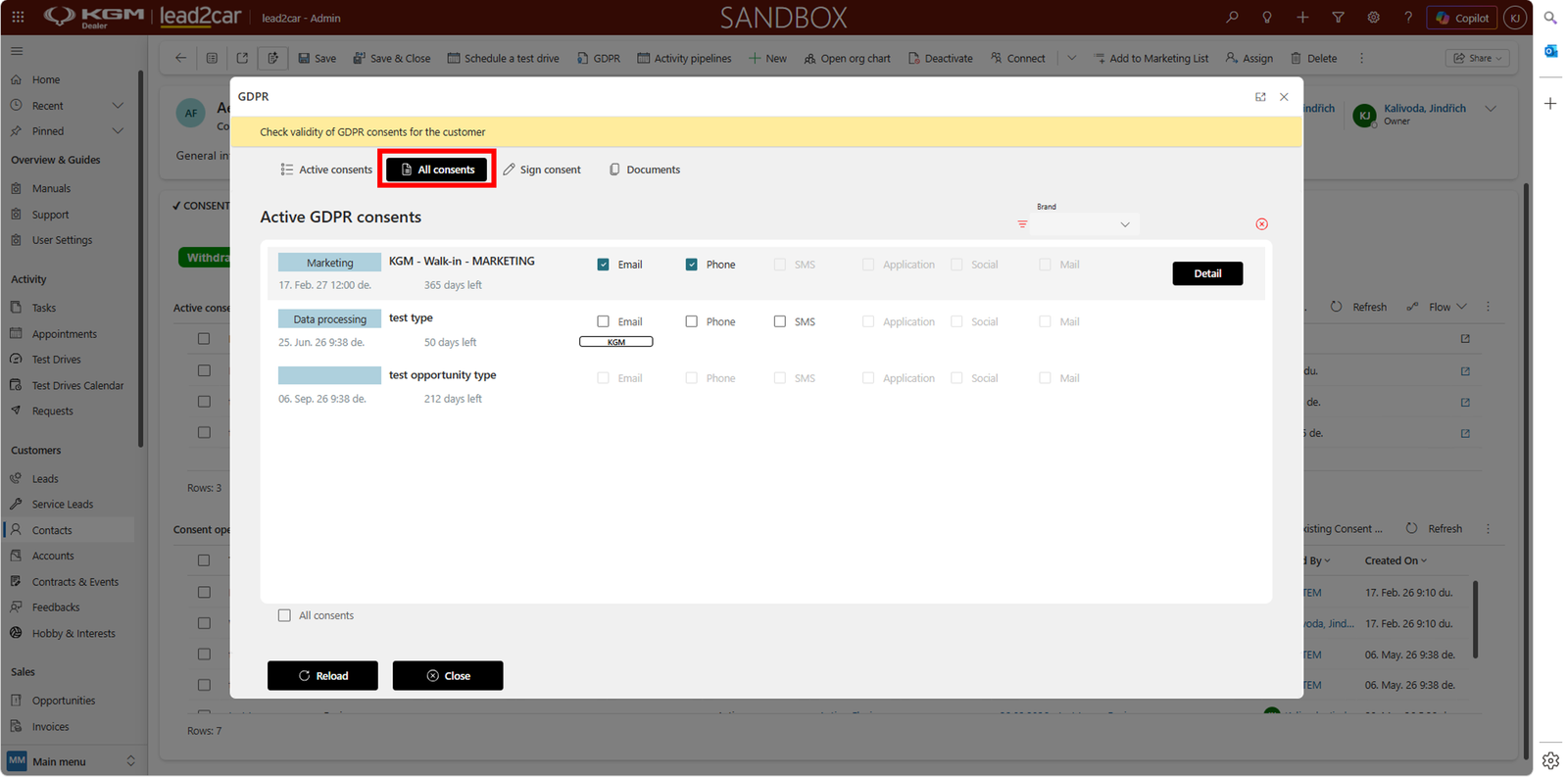
All consents
The All consents tab shows the full history of consents.
Sign consent
To create a new consent, use the Sign consent tab.
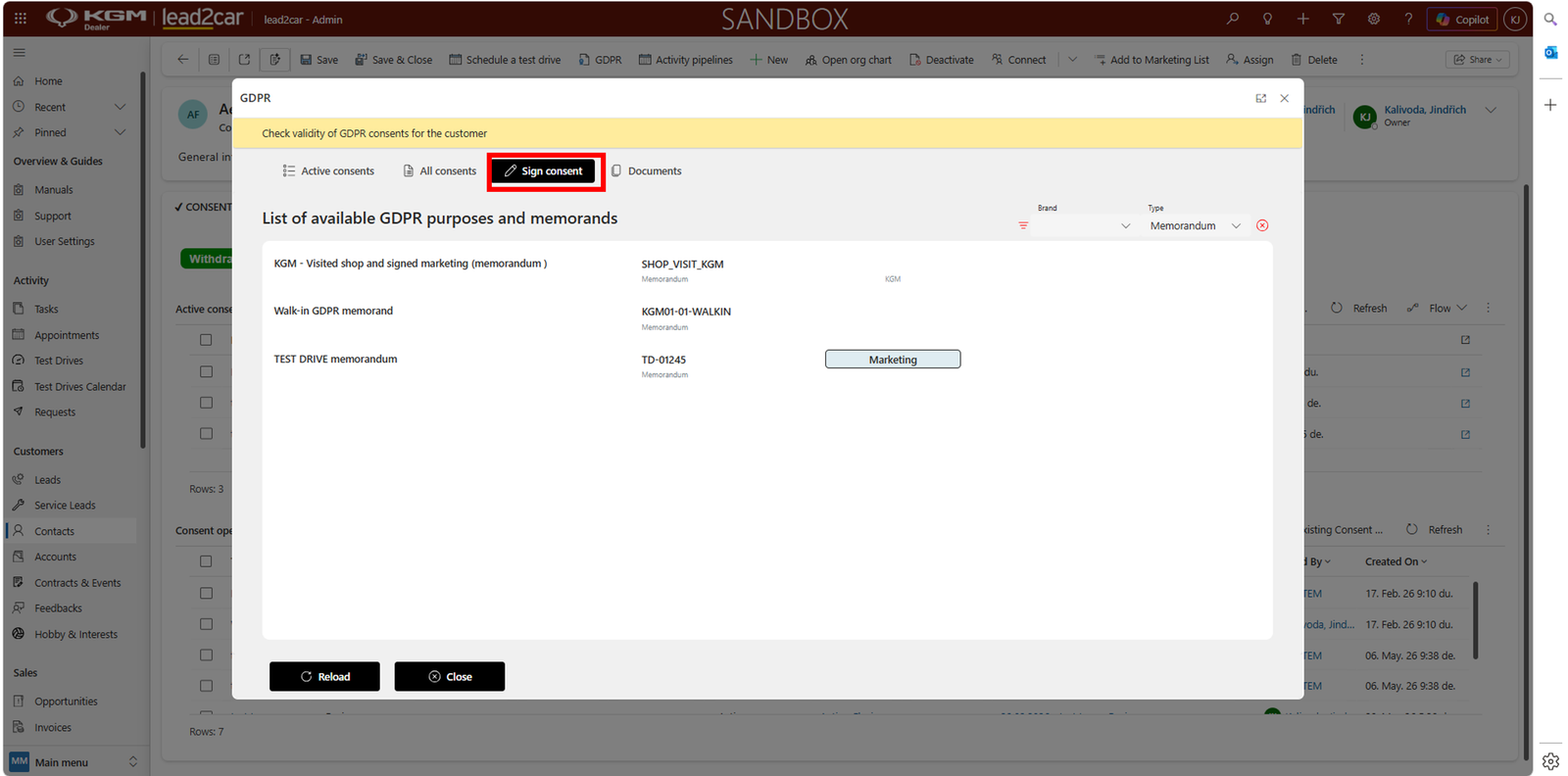
- Select consent type (e.g. marketing memorandum)
- Confirm selection
Documents
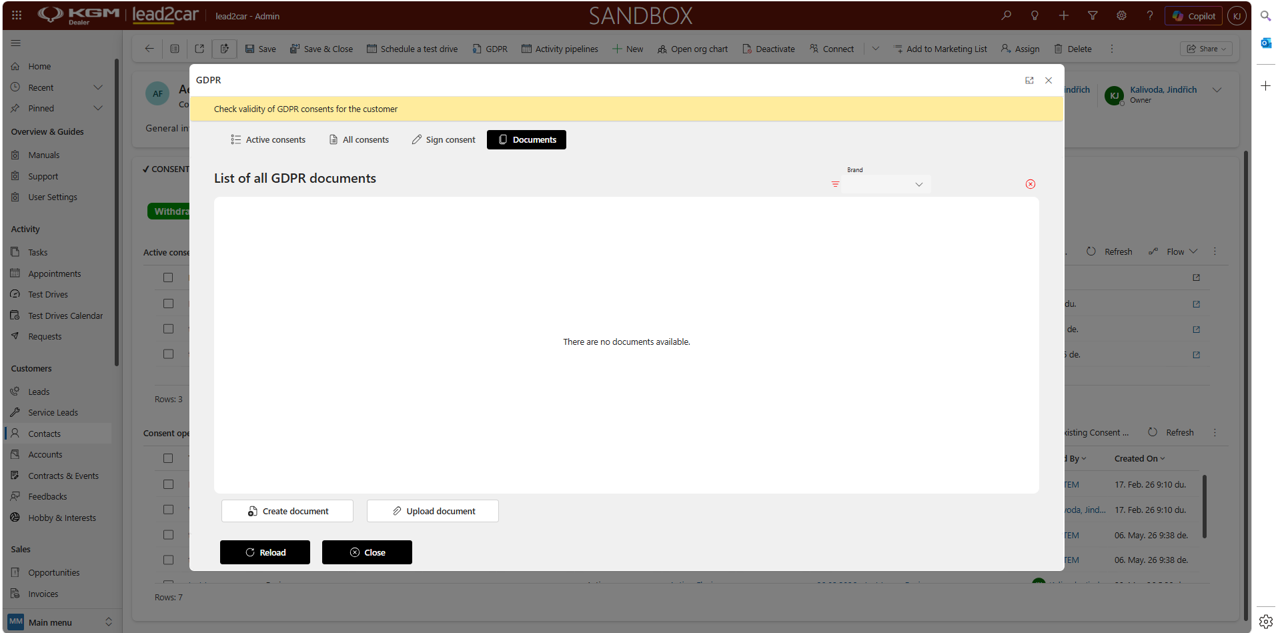
The Documents tab contains all GDPR-related files. You can:
- View GDPR documents
- Upload document
- Create document
When creating a document, predefined templates are available. These templates can be used to generate GDPR consent documents, which can be:
- Signed directly in the system
- Printed and signed physically with the customer
Withdraw consents
Use the Withdraw all consents button to remove all active consents.