Overview
Notifications in lead2car can be configured individually for each user. This allows every user to control how often they receive notifications from the system.
The configuration can be found under Notification Configuration in the second menu.
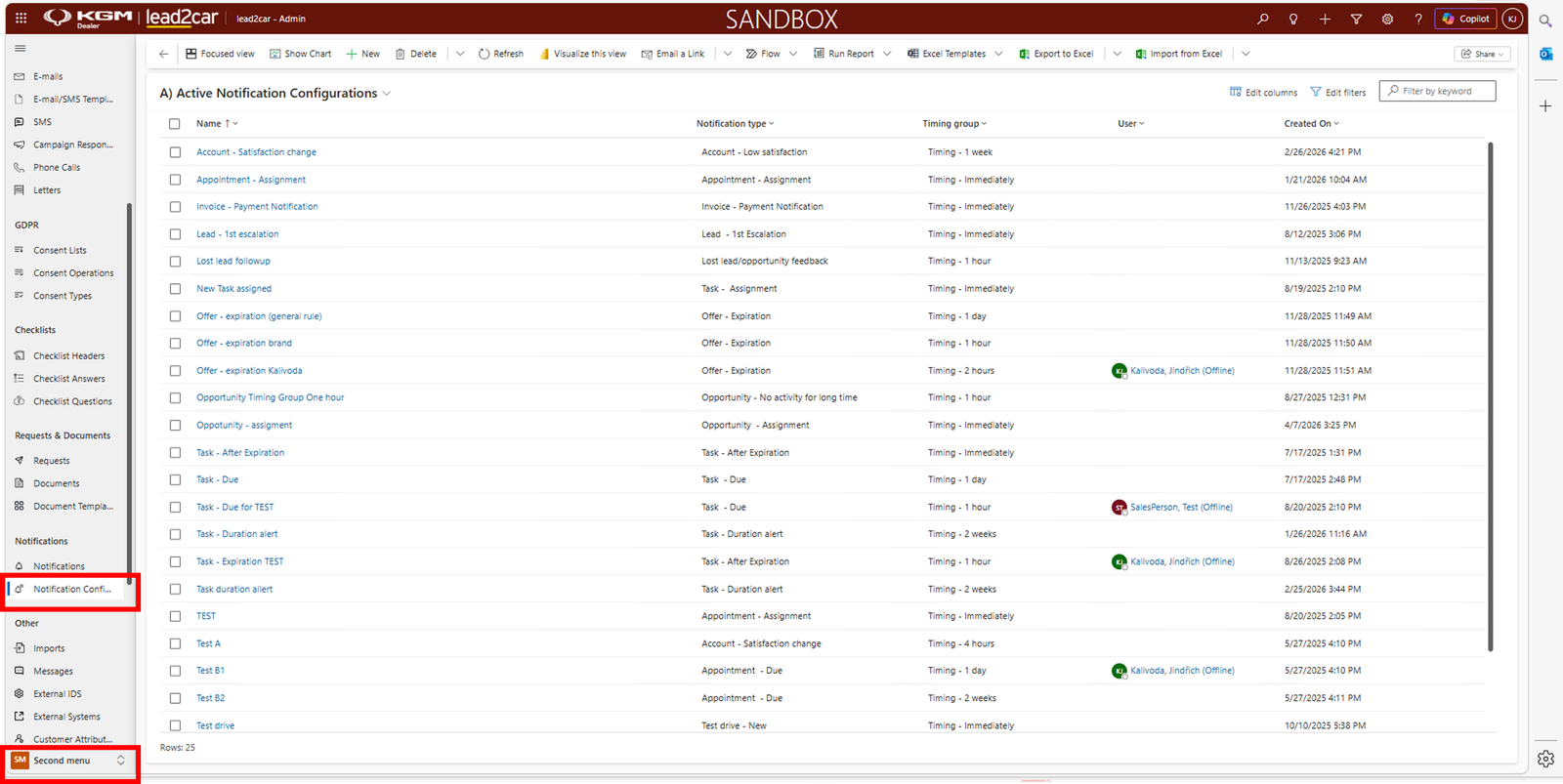
Notification settings
Each type of notification has its own settings. There are default settings, but every user can adjust them according to their needs.
You can configure notifications for different types of events, for example:
- Lead assignment
- Task reminders
- Other system activities
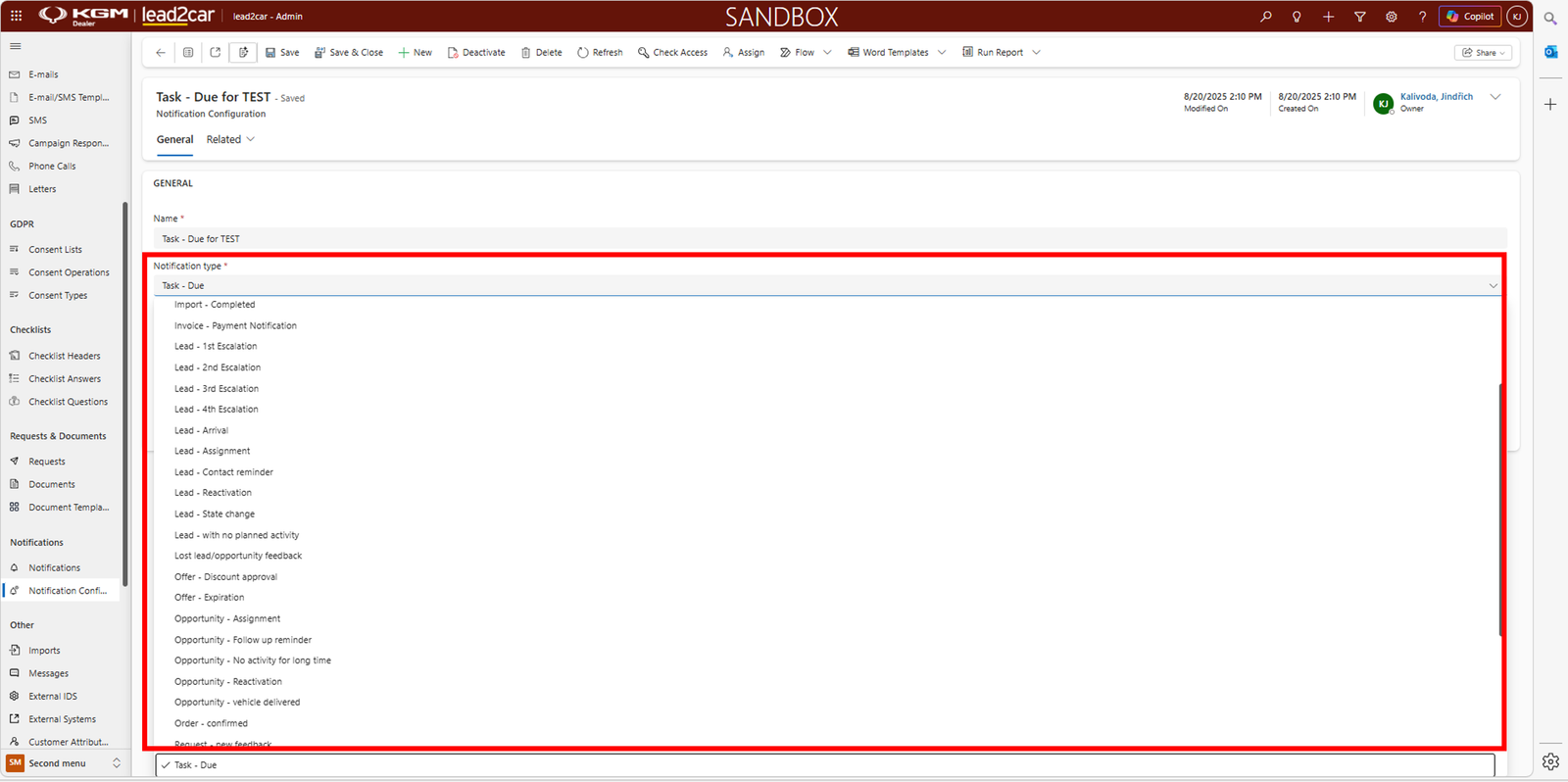
Notification frequency
For each notification type, you can define how often the notification should be sent:
- Immediately
- Every hour
- Every 2 hours
- Once per day
- Once per month
This allows users to reduce the number of incoming emails.
- Important actions, e.g. new leads Real-time
- Less important activities Periodic
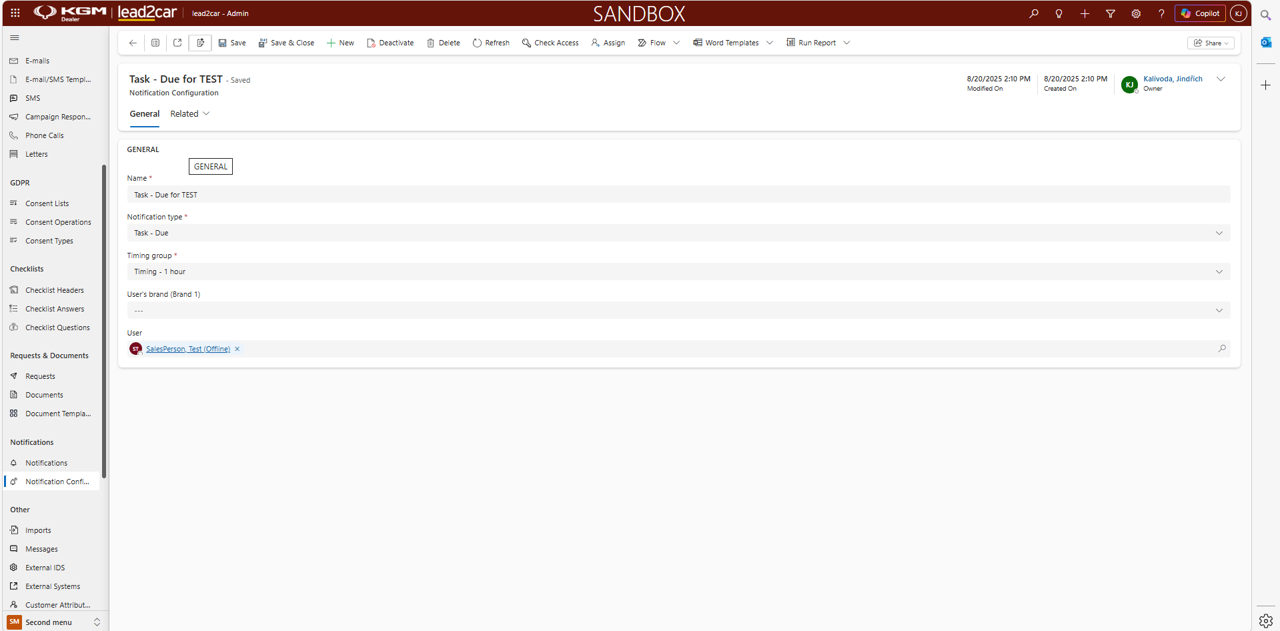
Email consolidation
Notifications are grouped based on the selected frequency. This means that multiple notifications are combined into a single email.
- Frequency set to 1 hour 1 email per hour
- Frequency set to 2 hours 1 email per 2 hours
This prevents users from receiving a large number of individual emails. The system consolidates notifications automatically based on your settings.