Overview
Sales targets are used to define and track performance goals for each salesperson. Targets can be created for different categories:
- Vehicle sales
- Financing products
- Insurance products
These targets are often used by dealerships to measure performance and track additional sales activities, such as financing and insurance, which may be incentivized.

Creating a sales target
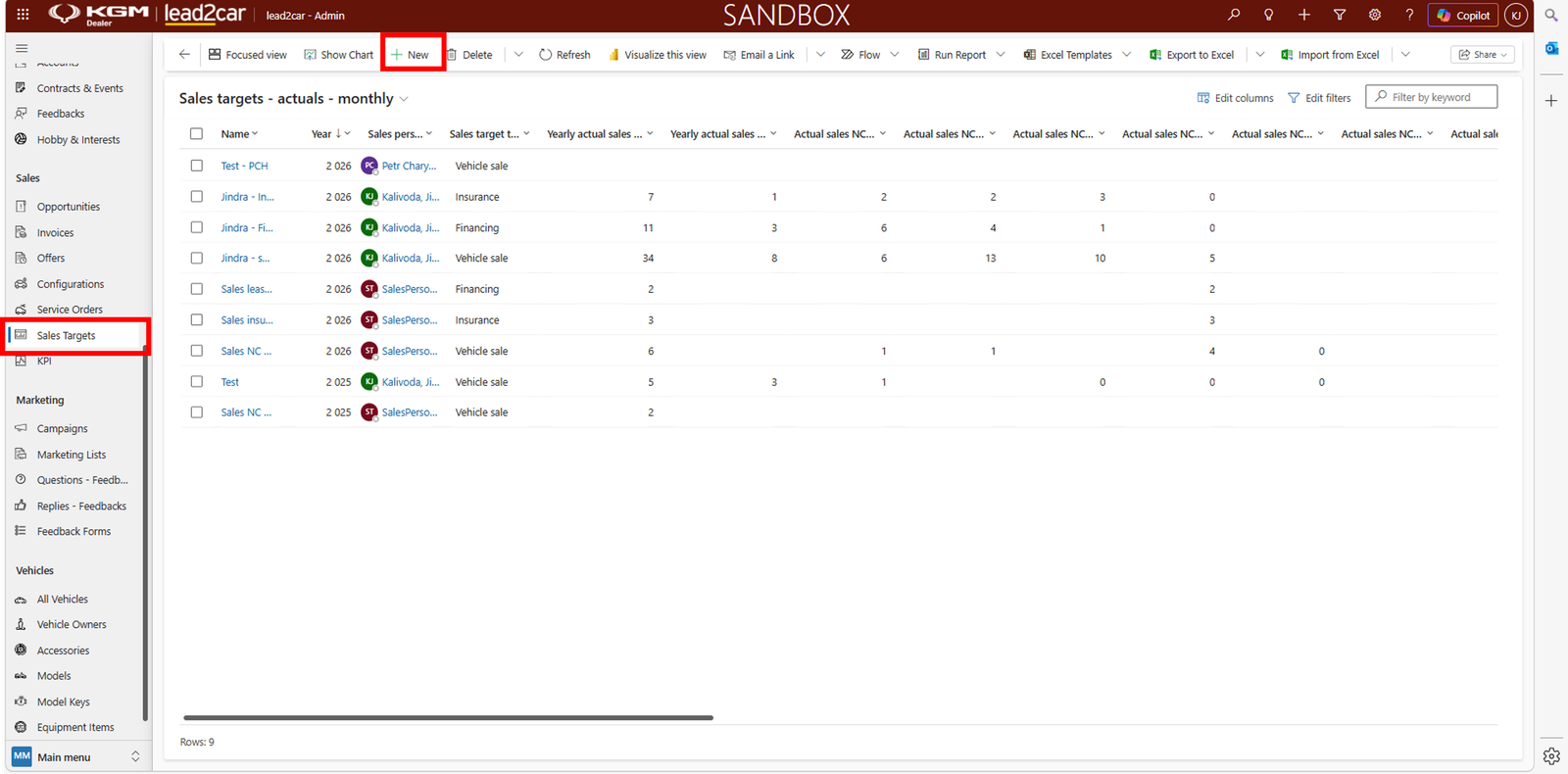
To create a new sales target:
- Go to Sales Targets
- Click + New
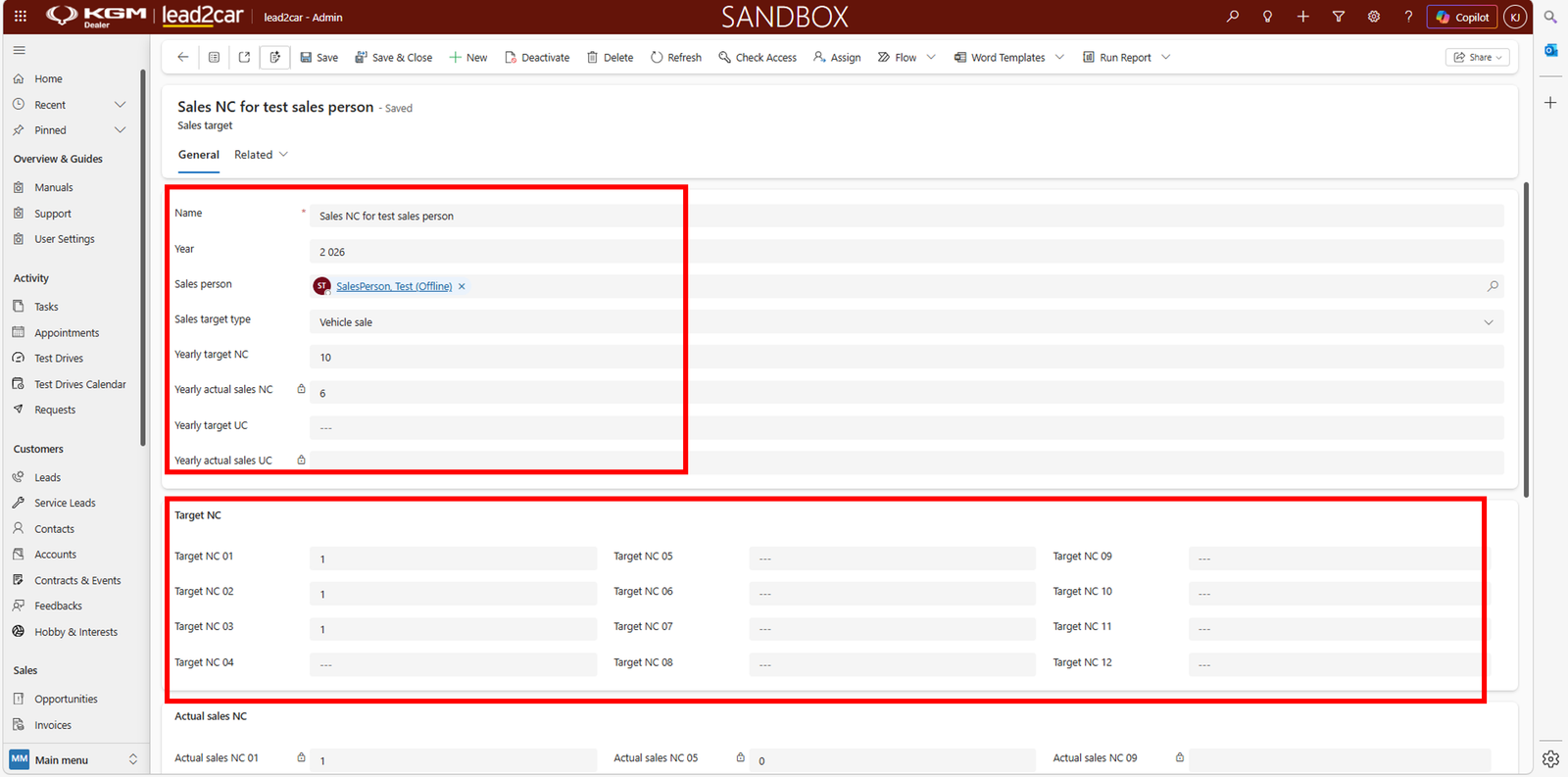
Fill in the required information:
- Sales person – select the responsible user
- Sales target type – vehicle sale, financing or insurance
- Yearly target – the goal for the whole year
Then define monthly target values for each month.
Tracking results
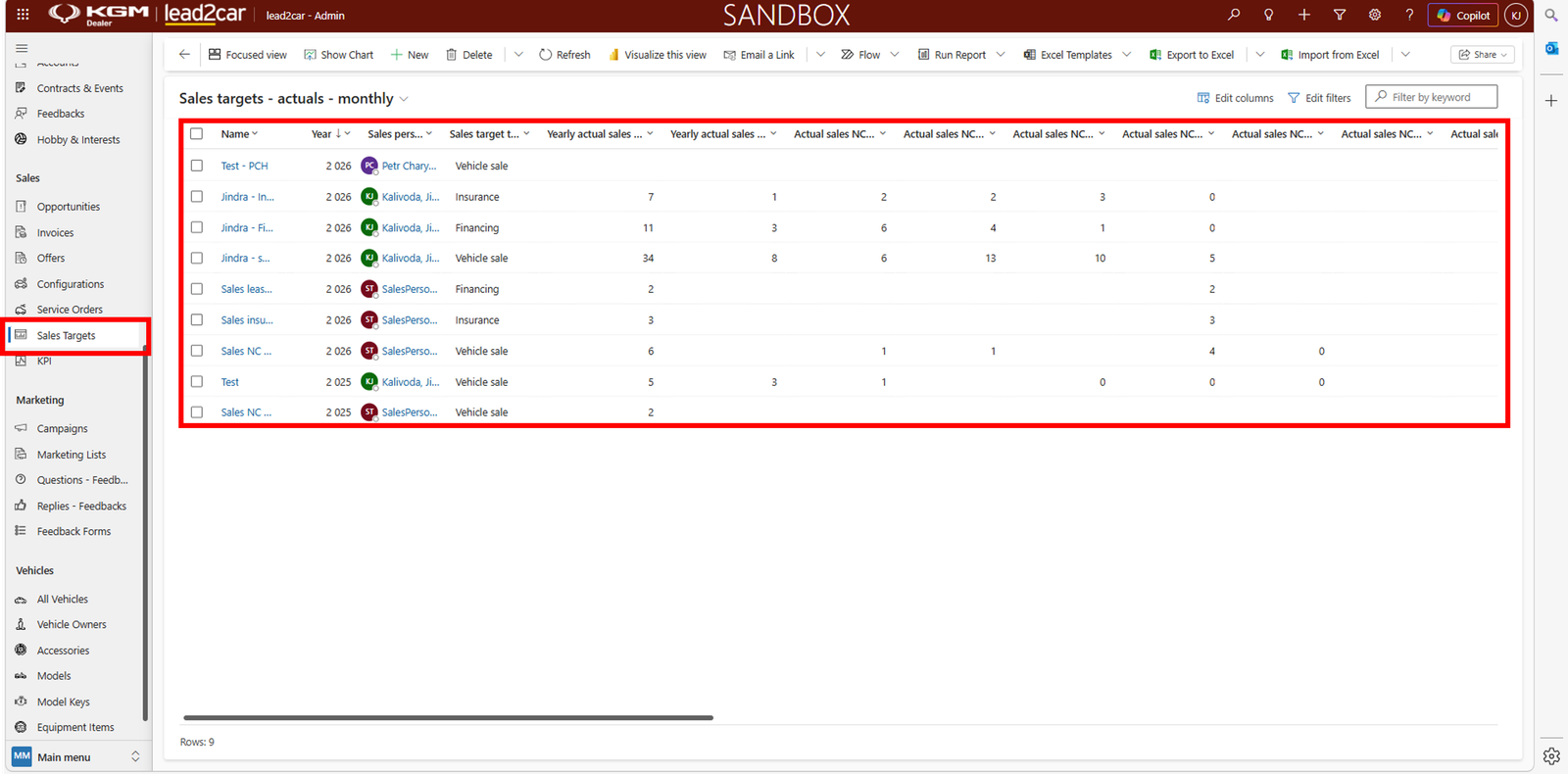
The system automatically tracks actual values based on completed sales. You can view:
- Yearly target vs. actual values
- Monthly performance
Good to know
Actual values are updated automatically, so progress can be monitored
continuously without any manual input.